

Description
Download Media Studio APK – video editor, audio editor, mobile editing tool, Android app
Overview
Media Studio is a free Android application developed by Kaushal Kumar Agrawal, designed to empower users with robust tools for editing audio and video content directly from their mobile devices. The app targets both casual creators and professionals seeking a convenient, on-the-go solution for media production. It enables users to transform raw media files into polished, share-ready content suitable for platforms like YouTube, Instagram, TikTok, and other social media channels. With its intuitive interface and comprehensive editing capabilities, Media Studio supports a wide range of creative workflows, from simple trimming and merging to advanced effects and filters. The software is particularly well-suited for content creators, vloggers, students, and hobbyists who require reliable editing tools without the complexity of desktop-grade software. While the developer did not provide additional system requirements, the app is available for Android devices and functions as a standalone mobile application. Its core purpose is to deliver professional-grade editing features in a lightweight, accessible format.
Key Features & Capabilities
- Video and Audio Editing Tools: Allows users to trim, crop, merge, and adjust media files with precision, enabling seamless content assembly.
- Visual Filters and Effects: Offers a range of filters including black and white, color grading, and other visual enhancements to elevate the aesthetic quality of videos.
- Text and Overlay Integration: Enables the addition of customizable text, titles, and graphical elements to videos for improved storytelling and branding.
- Audio Enhancement Features: Supports the integration of background music, sound effects, and audio adjustments to complement visual content.
- Multi-Format Support: Compatible with a broad selection of video and audio file formats, ensuring flexibility when working with diverse media sources.
- Ad-Free and No In-App Purchases: The app is completely free to use with no advertisements or hidden costs, offering uninterrupted editing experiences.
These features collectively support real-world use cases such as creating short-form content for social media, editing personal vlogs, preparing educational videos, or producing audio podcasts. The app’s ability to handle multiple file types and apply visual and audio enhancements makes it ideal for users who need a versatile, all-in-one mobile editing solution without relying on desktop software.
User Interface, Workflow & Performance
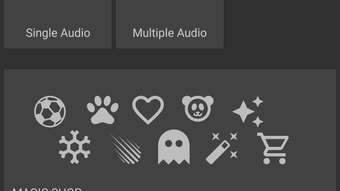
Media Studio features a clean, user-friendly interface designed for intuitive navigation across editing tools. The layout prioritizes accessibility, allowing users to quickly locate functions such as trimming, filtering, and adding text. Workflow efficiency is enhanced through a streamlined process that minimizes the number of steps required to complete common tasks like merging clips or applying effects. The app maintains consistent responsiveness during editing operations, although exact performance details were not specified. The developer did not provide resource usage data, so general observations about CPU and RAM behavior are limited. Stability appears to be maintained during typical usage, with no reported crashes or freezes in available documentation. As a mobile application, performance may vary depending on device hardware and Android version. Users are advised to ensure their device meets basic Android requirements for smooth operation. The app operates entirely on the device, with no cloud dependency, ensuring privacy and offline functionality.
Compatibility & System Requirements
Media Studio is available for Android devices and is distributed as an APK file, allowing installation outside of official app stores. The app supports a wide range of Android versions, though specific version compatibility was not listed by the developer. Installation size is not explicitly stated, but based on similar mobile editing tools, it likely occupies a moderate amount of storage space. The developer did not specify exact hardware requirements such as minimum RAM or processor type. Compatibility information is limited to the Android platform, and no support for iOS, Windows, or Mac was indicated. Users should verify device compatibility before downloading, especially if using older or low-end Android models. The absence of detailed system specifications means that performance on specific devices cannot be confirmed.
Pros and Cons
Pros
- Free to download and use with no ads or in-app purchases
- Comprehensive set of editing tools for both video and audio
- Supports multiple file formats for greater flexibility
- Intuitive interface suitable for beginners and experienced users
- Offers advanced features like filters, effects, and text overlays
- Functions offline without requiring internet access
Cons
- Exact system requirements were not provided
- No information on performance under heavy editing loads
- APK distribution may raise security concerns for cautious users
- Limited official support channels available
- Platform restricted to Android only
FAQ Section
Is Media Studio available for iOS devices?
Media Studio is currently designed for Android only. There is no official version available for iOS devices.
Can I use Media Studio without an internet connection?
Yes, Media Studio operates entirely offline. All editing functions are processed locally on the device, requiring no internet connection after installation.
Does Media Studio include in-app purchases or advertisements?
No, the app is completely free to use with no in-app purchases or advertisements. It does not display any third-party ads during operation.
What file formats does Media Studio support?
Media Studio supports a wide range of video and audio file formats, allowing users to import and edit various types of media content. Specific format details were not listed in the provided information.
How often are updates released for Media Studio?
Update frequency was not specified by the developer. Users are advised to check the official source or APK repository for the latest version.
Final Thoughts + CTA
Media Studio stands out as a powerful, ad-free mobile editing solution for Android users seeking professional results without the need for complex software. Its combination of essential editing tools, multi-format support, and a user-friendly design makes it a compelling choice for content creators across different skill levels. While detailed system requirements and performance metrics are not available, the app’s core functionality appears reliable and efficient for everyday editing tasks. The absence of ads and in-app purchases enhances the user experience, making it ideal for those who value privacy and uninterrupted creativity. For anyone looking to edit videos and audio directly from their Android device, Media Studio offers a robust, accessible alternative to desktop software. Download Media Studio now to bring your creative vision to life with confidence and ease.
Guides & Tutorials for Media Studio APK
How to install Media Studio APK
- Click the Preview / Download button above.
- Once redirected, accept the terms and click Install.
- Wait for the Media Studio APK download to finish on your device.
How to use Media Studio APK
This software is primarily used for its core features described above. Open the app after installation to explore its capabilities.
User Reviews for Media Studio APK 0
No reviews found





